Your circle

You decide who sees what

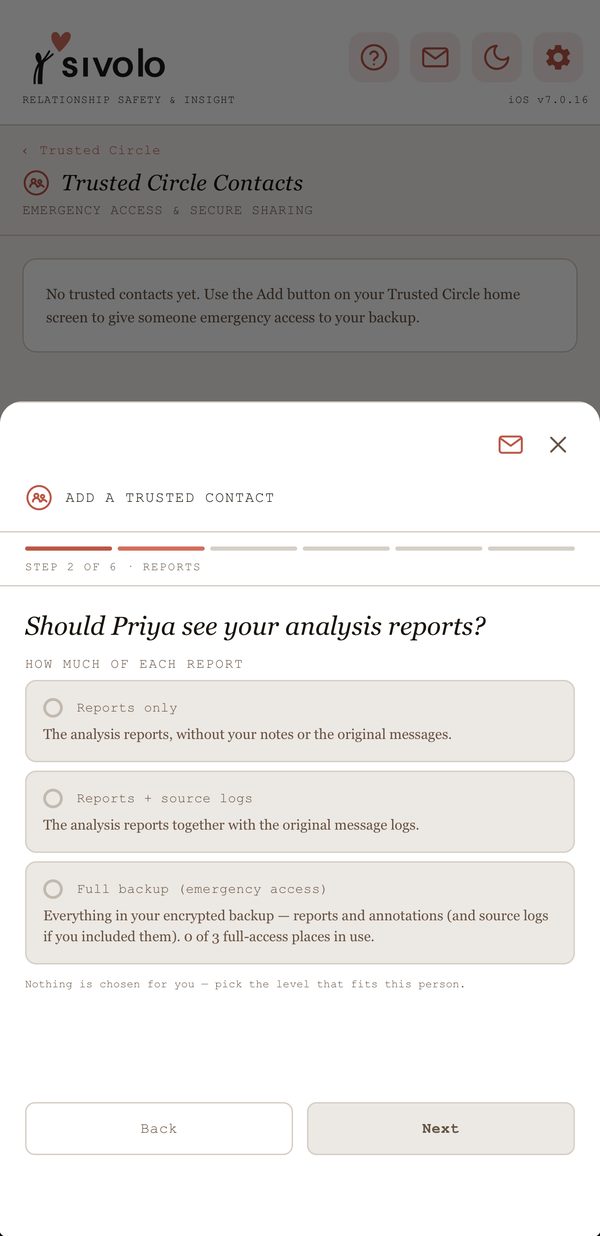
Add the people you trust one at a time, and choose for each of them exactly what they can see. Members never see each other.

  • Reports only, reports with the original message logs, or your full backup for emergency access
  • Choose which kinds of journal entry to share, if any
  • See when each person last opened what you shared
  • Revoke anyone’s access instantly, from your phone or any web browser
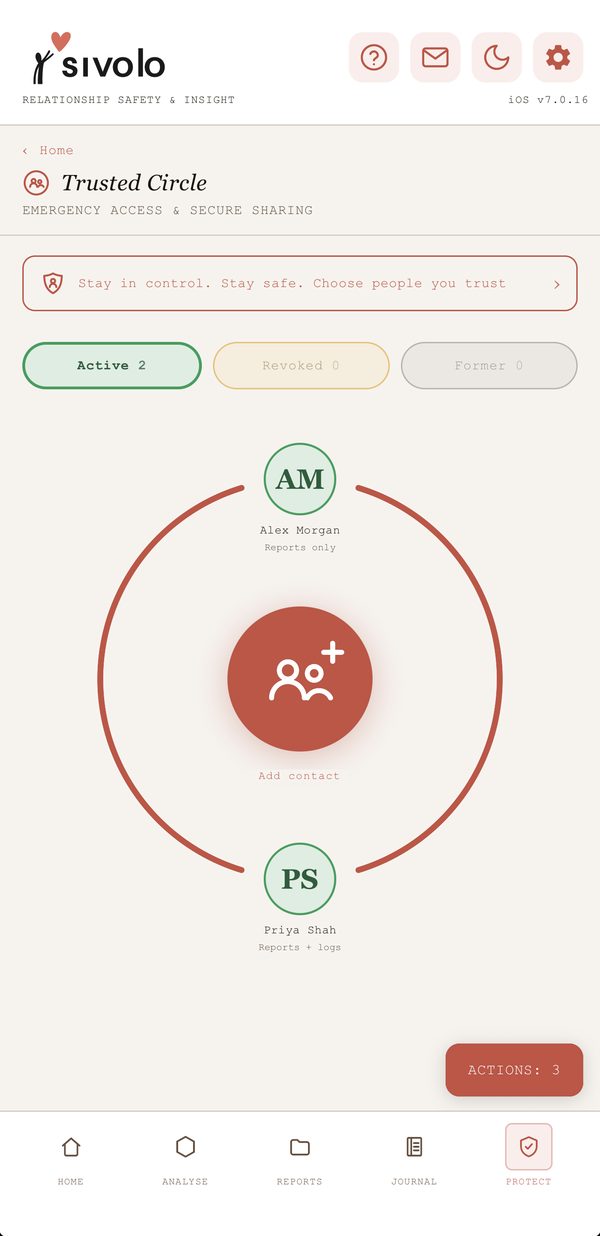
A Sivolo Trusted Circle with two contacts, an IDVA and a friend
Choosing what a Trusted Circle contact can see: reports only, reports with source logs, or full backup

Actual app screens · example data
What they can do

Support that keeps you in charge

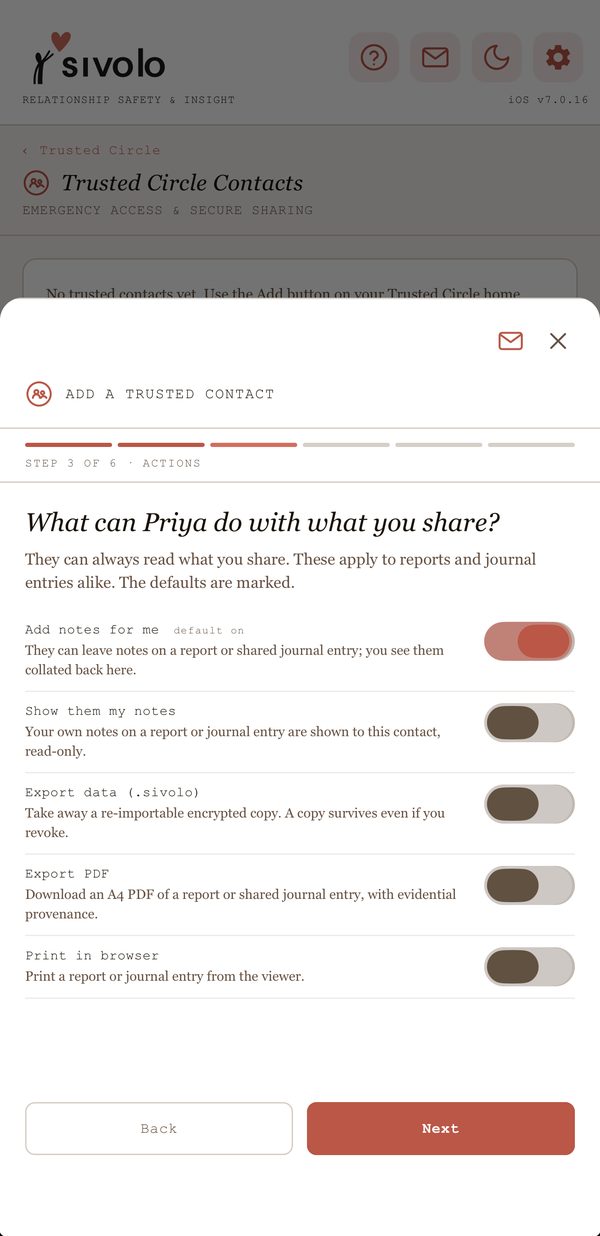
For each person, you set what they can do with what you share. A professional can review the evidence and leave you notes, collated in one place rather than scattered across messages and email.

  • Add notes for you on a report or shared journal entry How notes work
  • See your own notes, if you choose
  • Export a PDF or print, only if you allow it
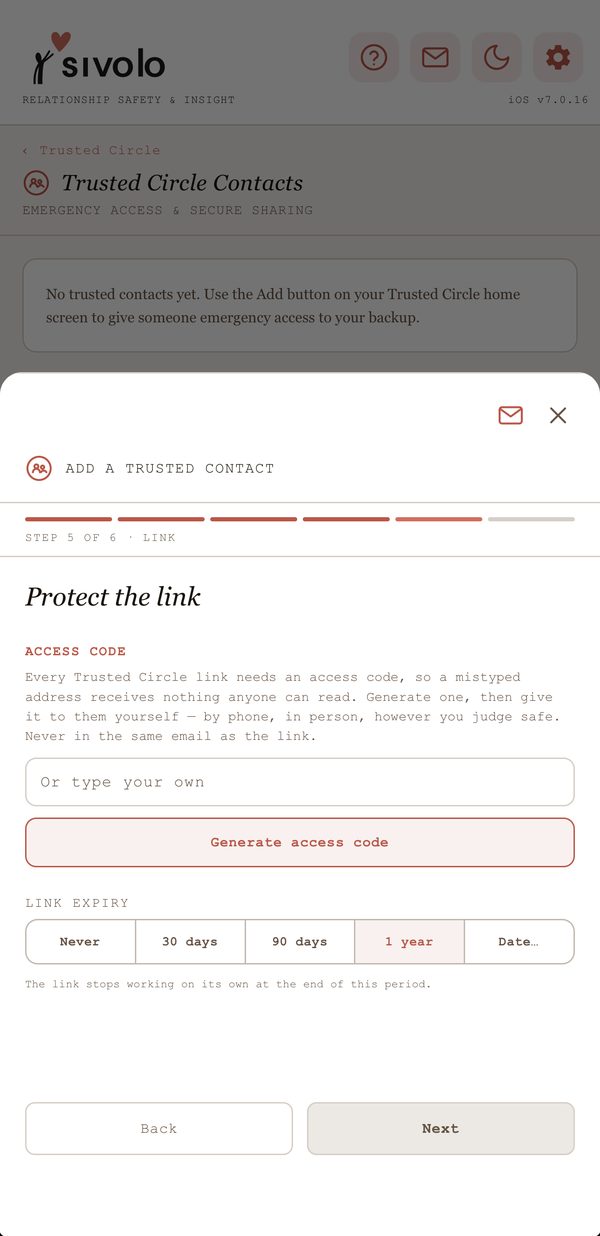
  • Every share is protected by a link and an access code you give them yourself, and the link can expire
Setting what a Trusted Circle contact can do: add notes, see your notes, export or print
Protecting a Trusted Circle link with an access code and an expiry date

Actual app screens · example data

Notes

A conversation around the evidence

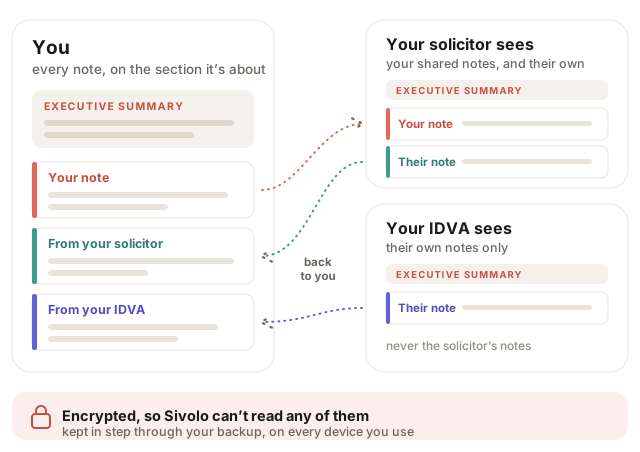
Add notes to any section of a report or journal entry, and choose, person by person, whether they see them. The people you trust can add notes of their own, and every one comes back to you on the section it’s about.

Illustration: you see your own notes and every note from your circle; your solicitor sees the notes you chose to share plus their own; your IDVA sees only their own; all notes are encrypted and kept in step through your backup
If you can’t be reached

Emergency access, only if you arm it

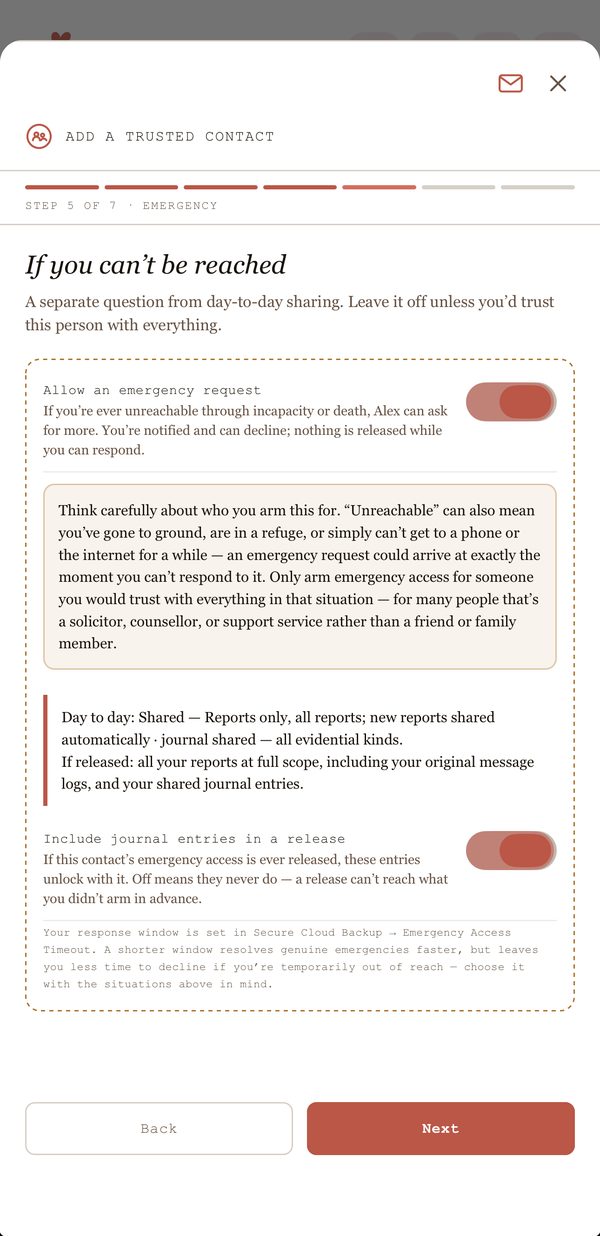
You can pre-authorise someone to ask for more access if you’re ever unreachable. You’re told straight away and can allow or decline. Leave it off unless you’d trust that person with everything.

  • Separate from day-to-day sharing, and off by default
  • Up to three people can hold full emergency access
  • You choose whether journal entries are included if access is ever released
Arming emergency access for a Trusted Circle contact, with a clear warning about who to trust

Actual app screen · example data

Bring in help, on your terms

Supporting someone who uses Sivolo? See how professionals can review shared evidence.